Turizi LogoTurizi
Navbar.documentation
Sign In
Turizi LogoTurizi

The all-in-one software for DMCs, Tour Operators, and Travel Agencies. Design visual proposals, automate quotes, and centralize your entire operations in one place.

Business Contactcontacto@turizi.com

Want to see Turizi in action?

Join our interest list to receive personalized demos, product announcements, and operational optimization guides.

© 2026 Turizi Inc. All rights reserved.
•About Us
Back to Help Center
Service Catalog & Limits

Configure daily passenger capacity limits per service

Set maximum capacity thresholds for services to prevent overbooking.

1

Open the Service Catalog where all tours, transfers, and lodgings are listed.
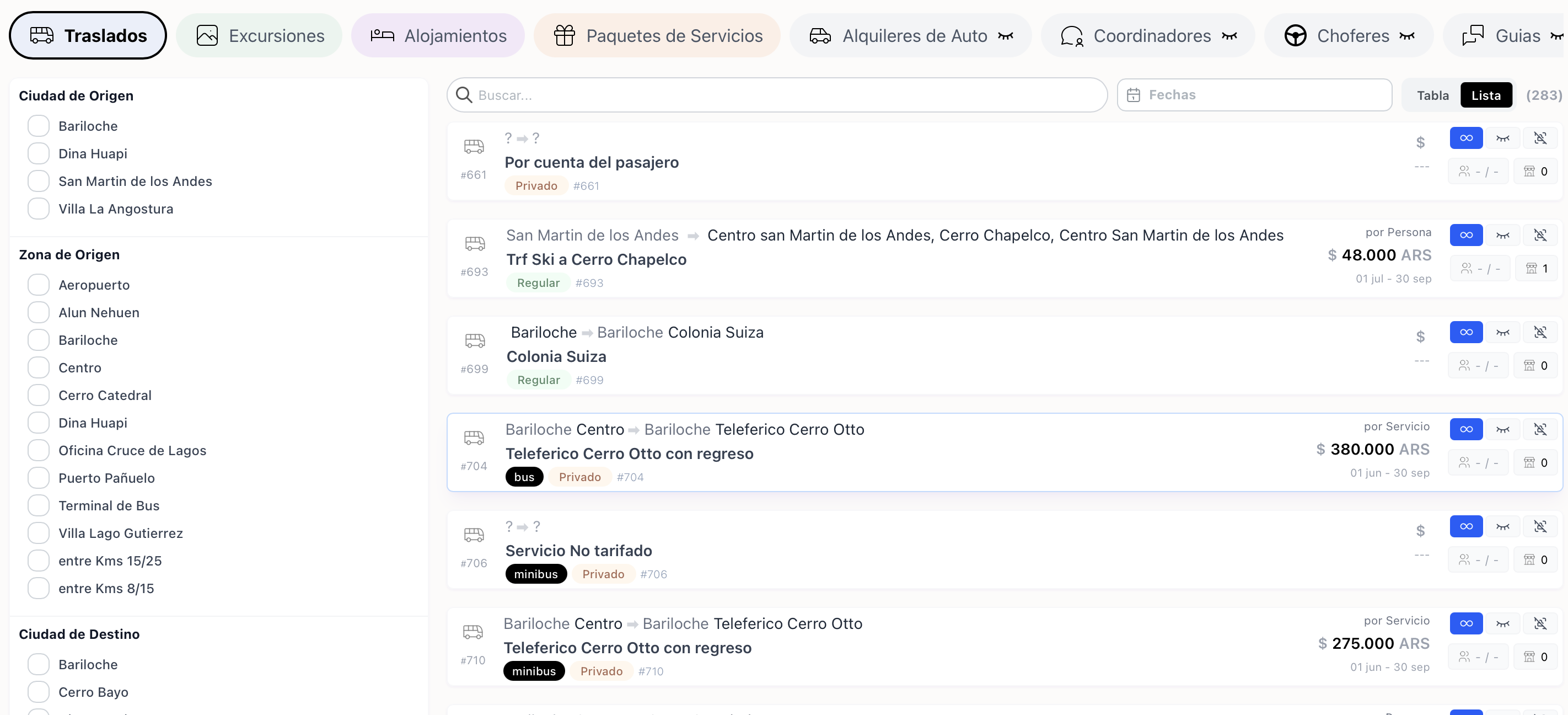
1. General services catalog list

1. General services catalog list

2

Open the Service Details to configure base rates, custom fields, and categories.
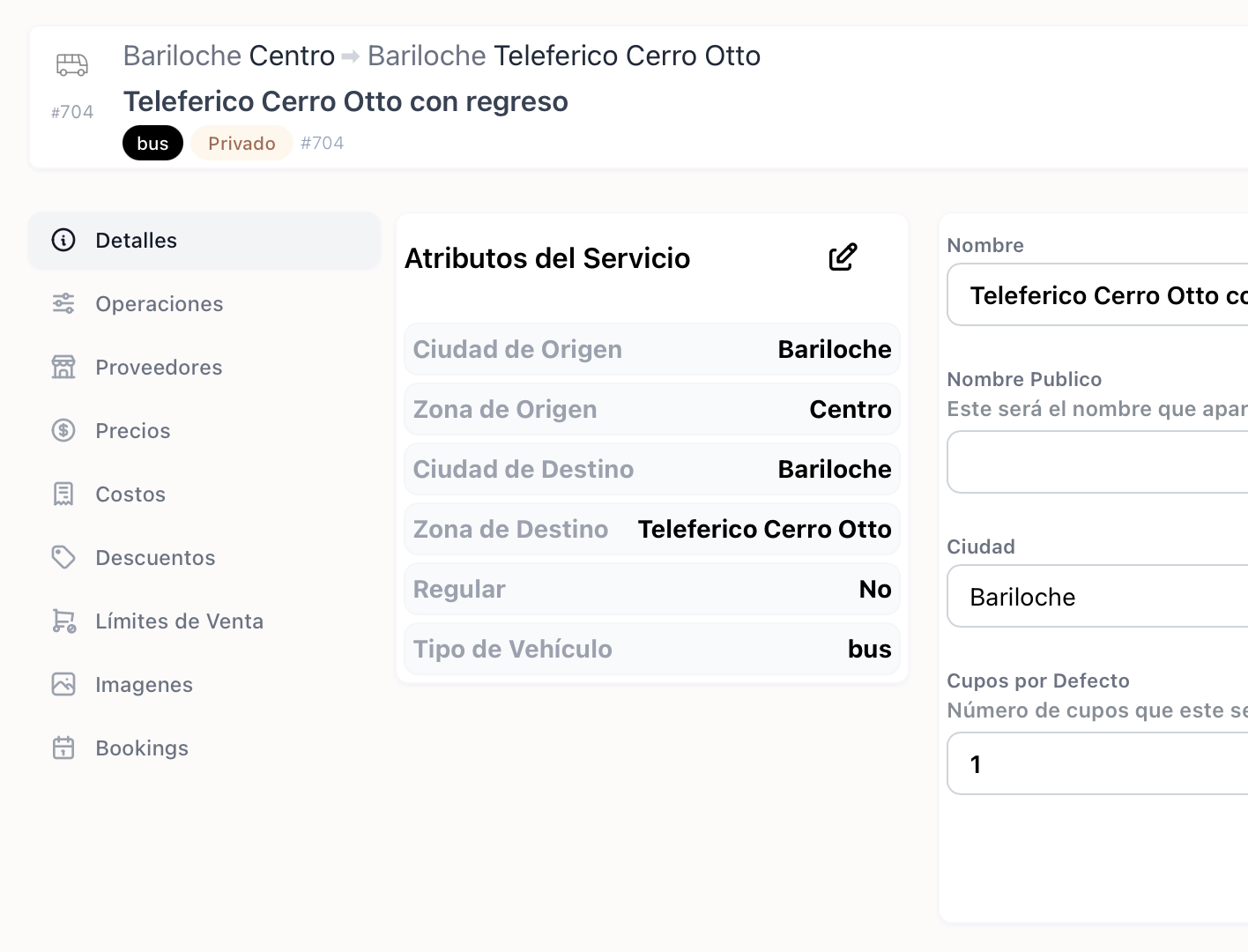
2. Service configuration and editing layout

2. Service configuration and editing layout

3

Navigate to the Availability Limits tab to define the maximum daily passenger limit or booking cap.
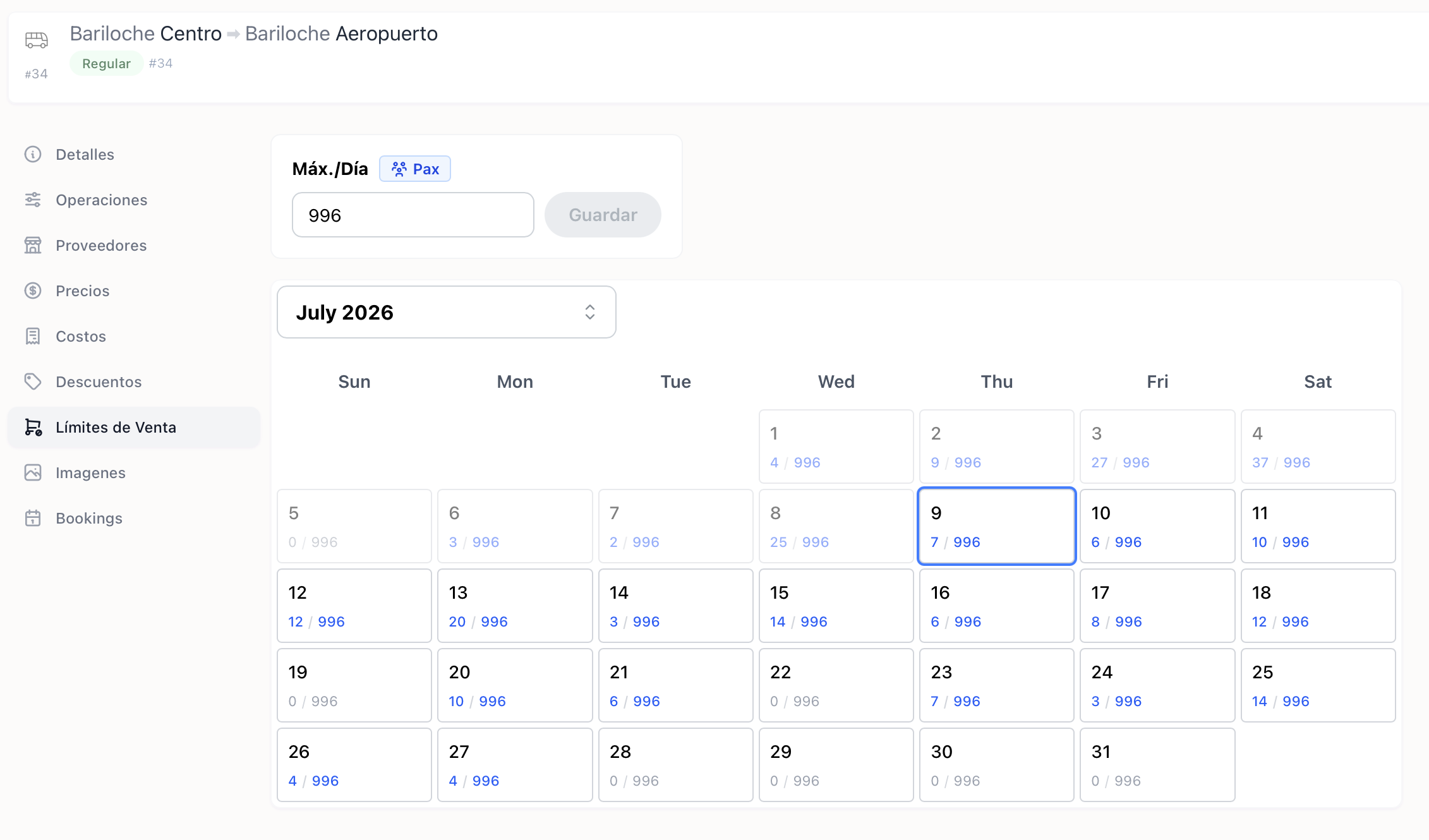
3. Daily capacity limits and booking cap editor

3. Daily capacity limits and booking cap editor