Reservations Engine
Create a new reservation and add flight details
Create and manage bookings for clients and ensure their flight details are kept in sync.
1
Manage bookings in the Reservations Hub, displaying a full interactive listing sheet.
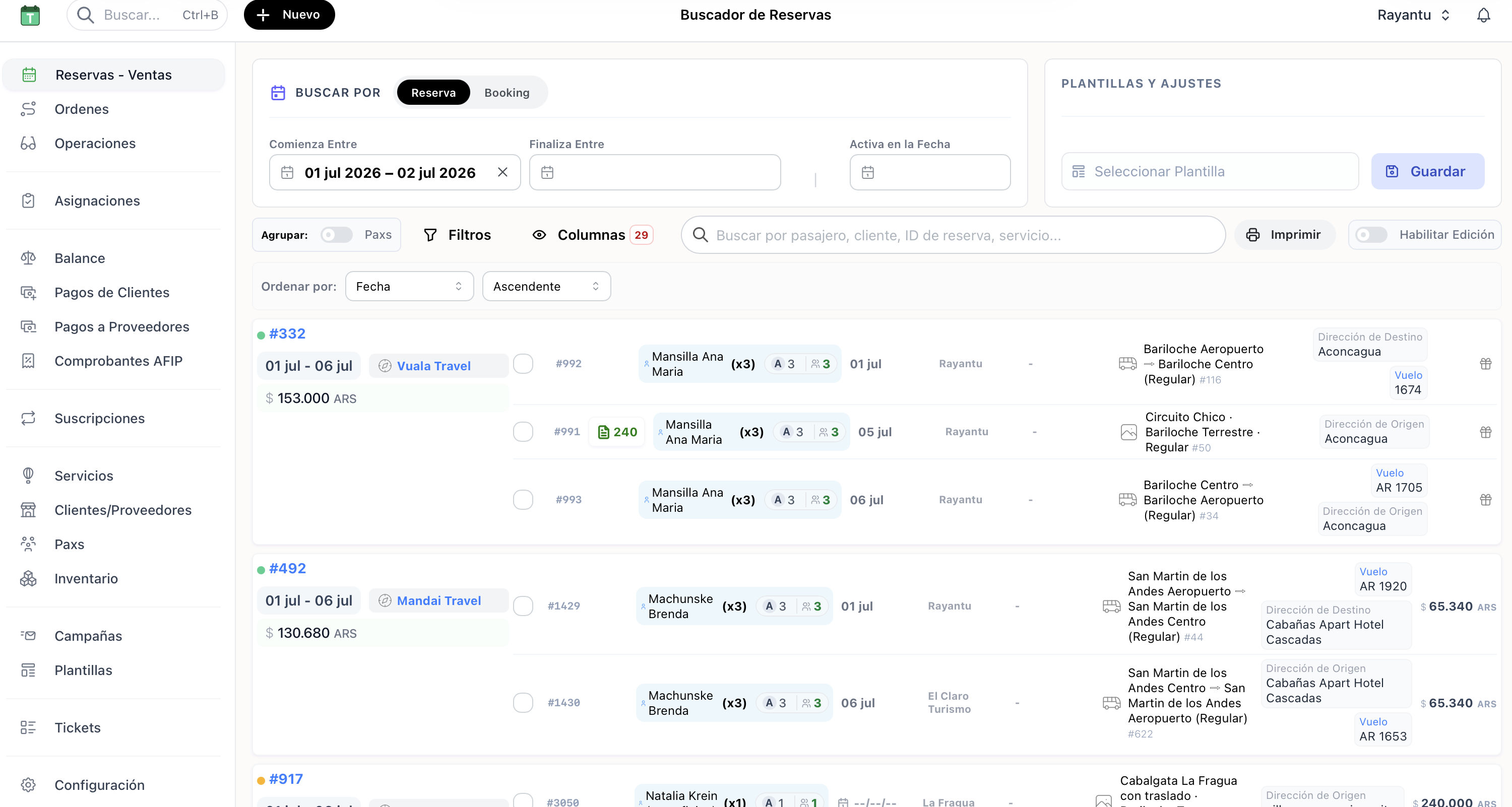
1. Interactive client booking list in Reservations Hub
2
Open any booking and click Edit to update passenger profiles, payment, and reservation statuses.
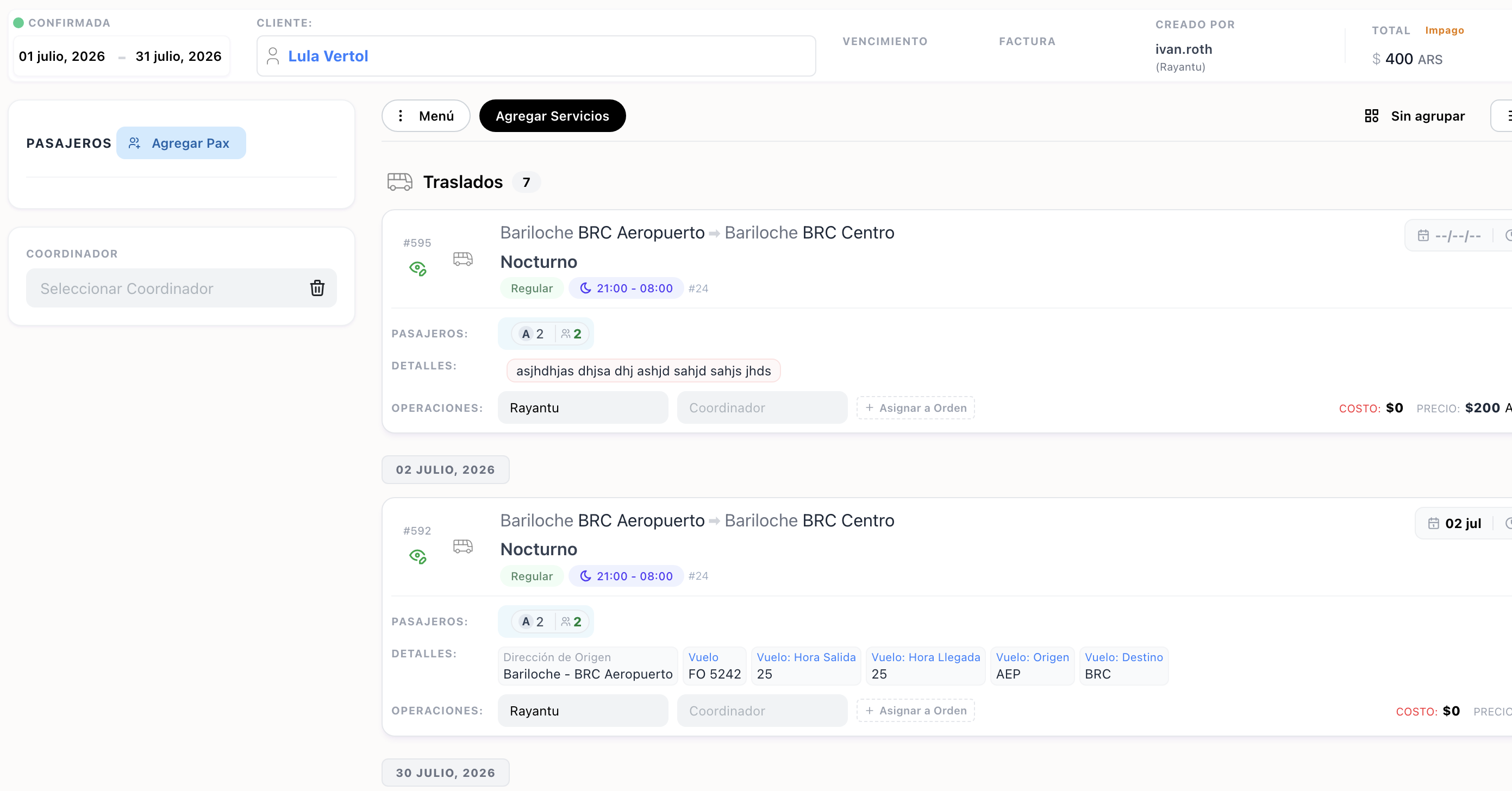
2. Booking profile and details edit form
3
Click Flight Details in the booking layout to save flight schedules and numbers, syncing automatically with drivers.
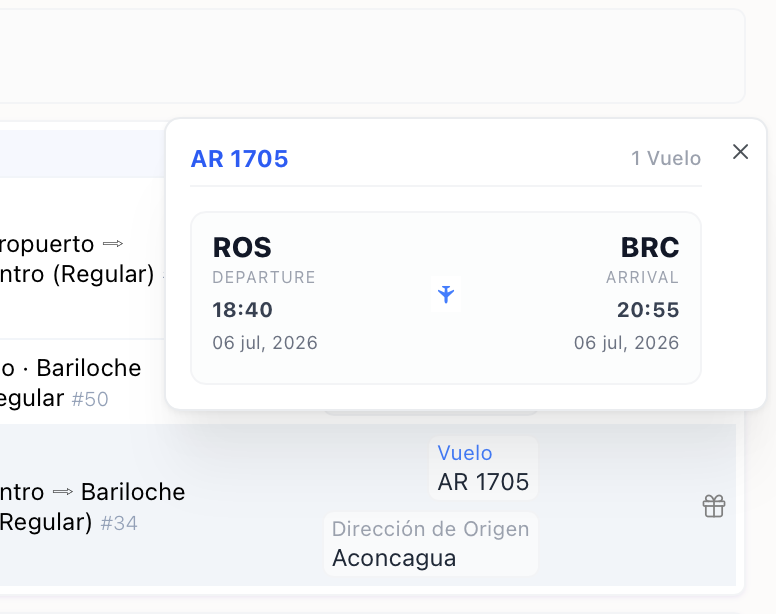
3. Airline and flight schedule input dialog