Turizi LogoTurizi
Navbar.documentation
Sign In
Turizi LogoTurizi

The all-in-one software for DMCs, Tour Operators, and Travel Agencies. Design visual proposals, automate quotes, and centralize your entire operations in one place.

Business Contactcontacto@turizi.com

Want to see Turizi in action?

Join our interest list to receive personalized demos, product announcements, and operational optimization guides.

© 2026 Turizi Inc. All rights reserved.
•About Us
Back to Help Center
Reservations Engine

Record payments on a reservation and issue receipts

Log payments and checkouts to reconcile customer balances.

1

Open the reservation options menu from the booking list.
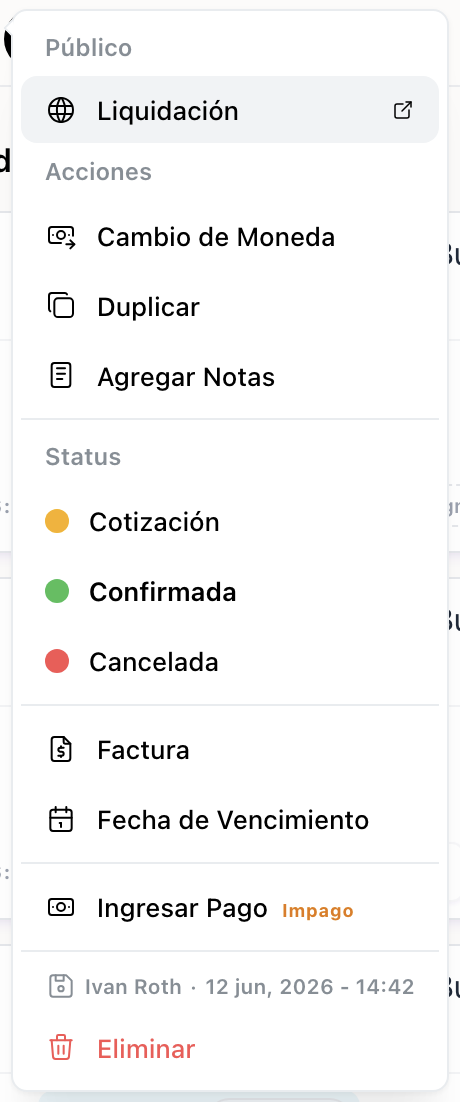
1. Reservation options menu in the booking list

1. Reservation options menu in the booking list

2

Click on Record Payment to open the transaction modal.
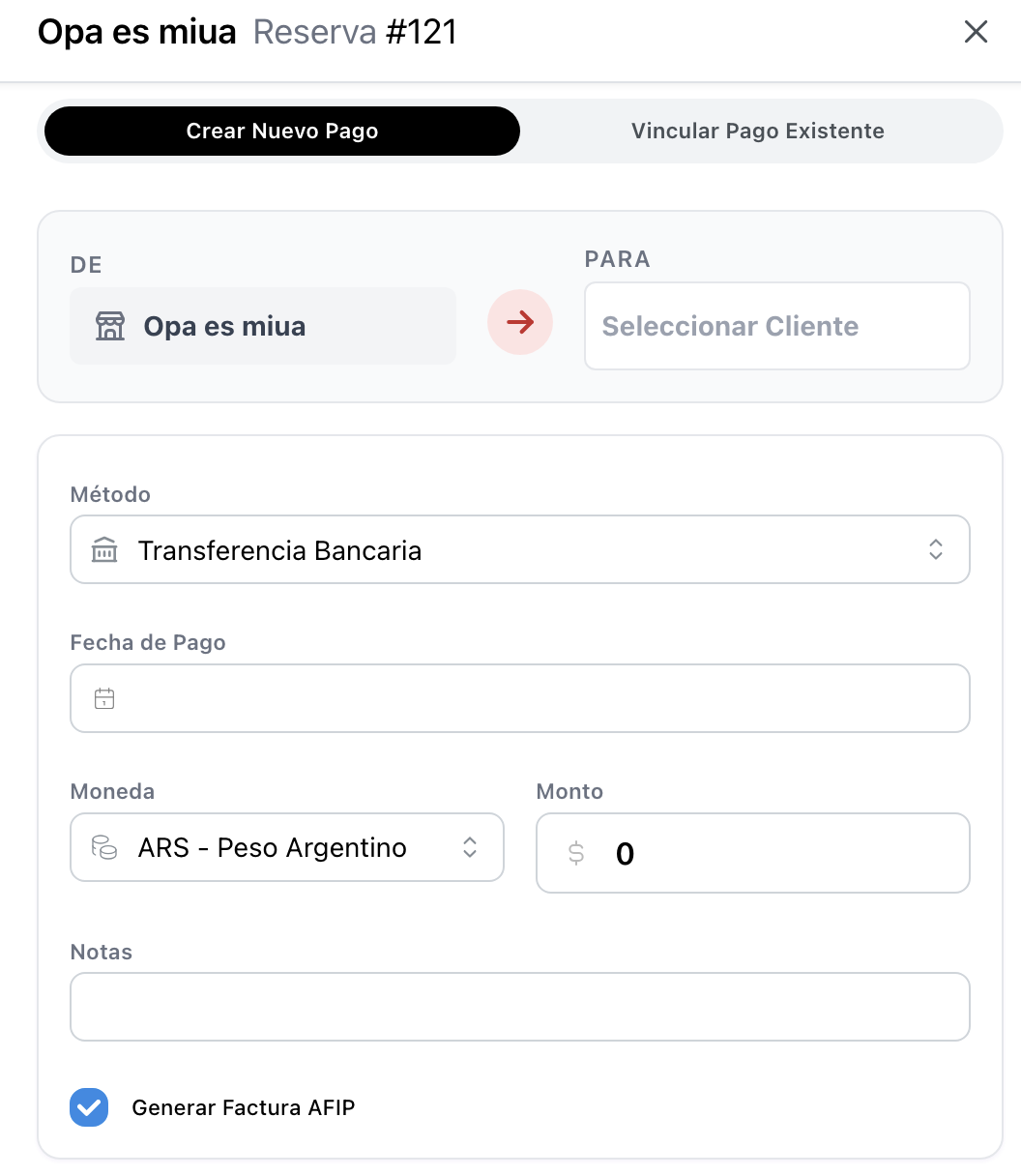
2. Form to record a new payment transaction

2. Form to record a new payment transaction

3

Enter the payment details, including amount, payment method, and whether to link it to an AFIP invoice.
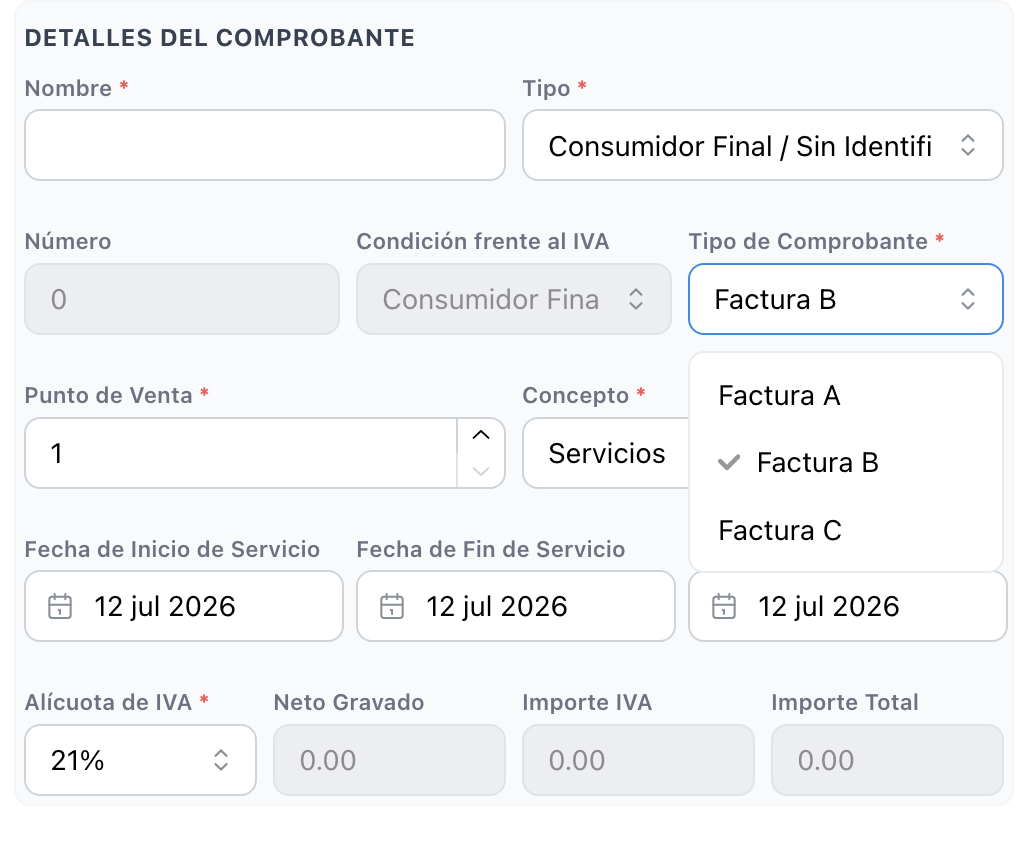
3. Processed payment details and AFIP invoice linkage

3. Processed payment details and AFIP invoice linkage