Turizi LogoTurizi
Navbar.documentation
Sign In
Turizi LogoTurizi

The all-in-one software for DMCs, Tour Operators, and Travel Agencies. Design visual proposals, automate quotes, and centralize your entire operations in one place.

Business Contactcontacto@turizi.com

Want to see Turizi in action?

Join our interest list to receive personalized demos, product announcements, and operational optimization guides.

© 2026 Turizi Inc. All rights reserved.
•About Us
Back to Help Center
Orders & Passenger Splitting

Split a passenger group into separate orders

Separate specific travelers from a booking group into their own order for independent billing.

1

Use the Orders dashboard to inspect client groupings and outstanding balance sheets.
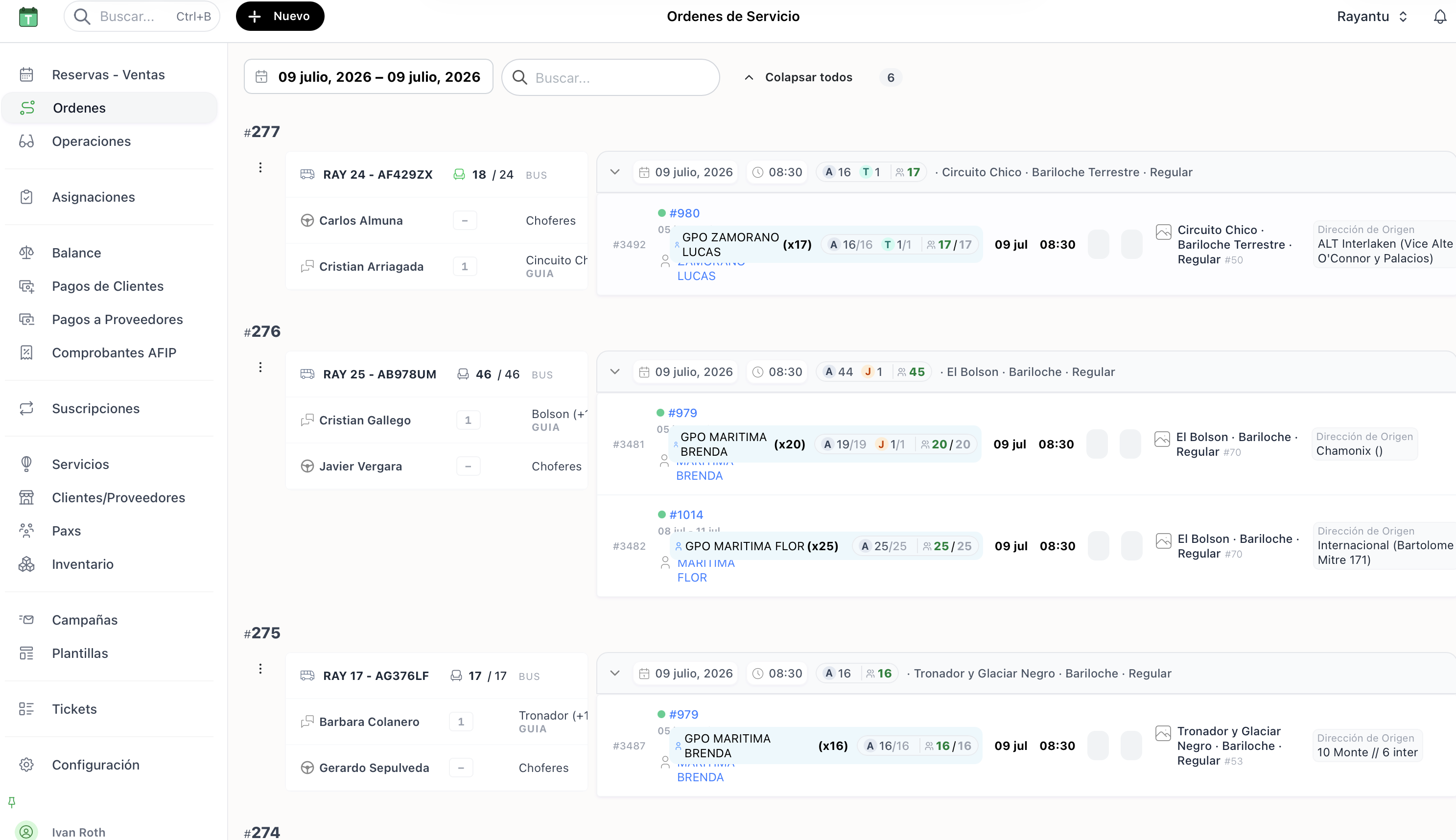
1. Service orders dashboard list

1. Service orders dashboard list

2

Edit group members and click Split passenger groups to divide specific people into a separate order.
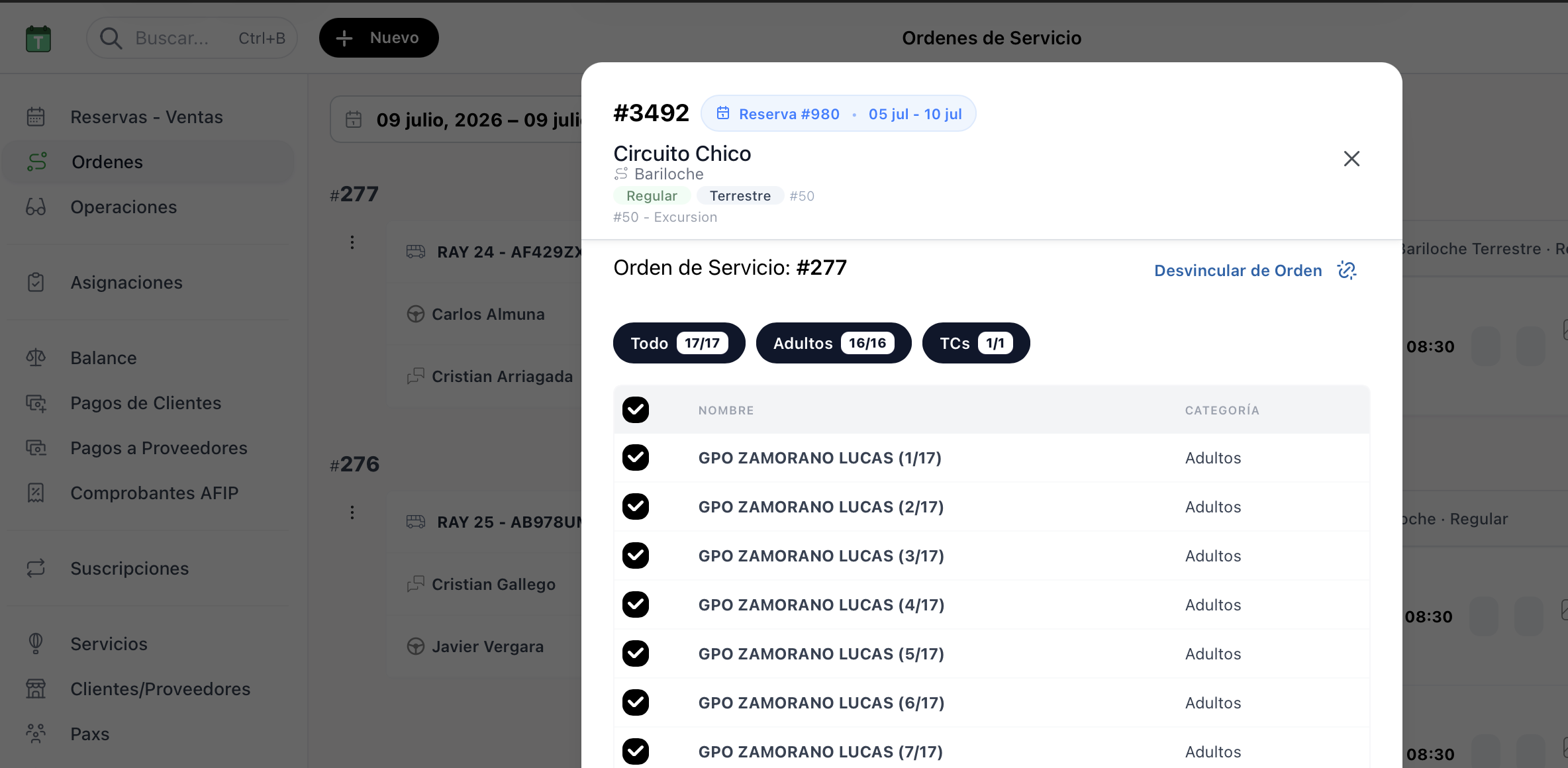
2. Splitting group members form

2. Splitting group members form

3

Inspect the Order Manifest to check the passenger distribution of the group.
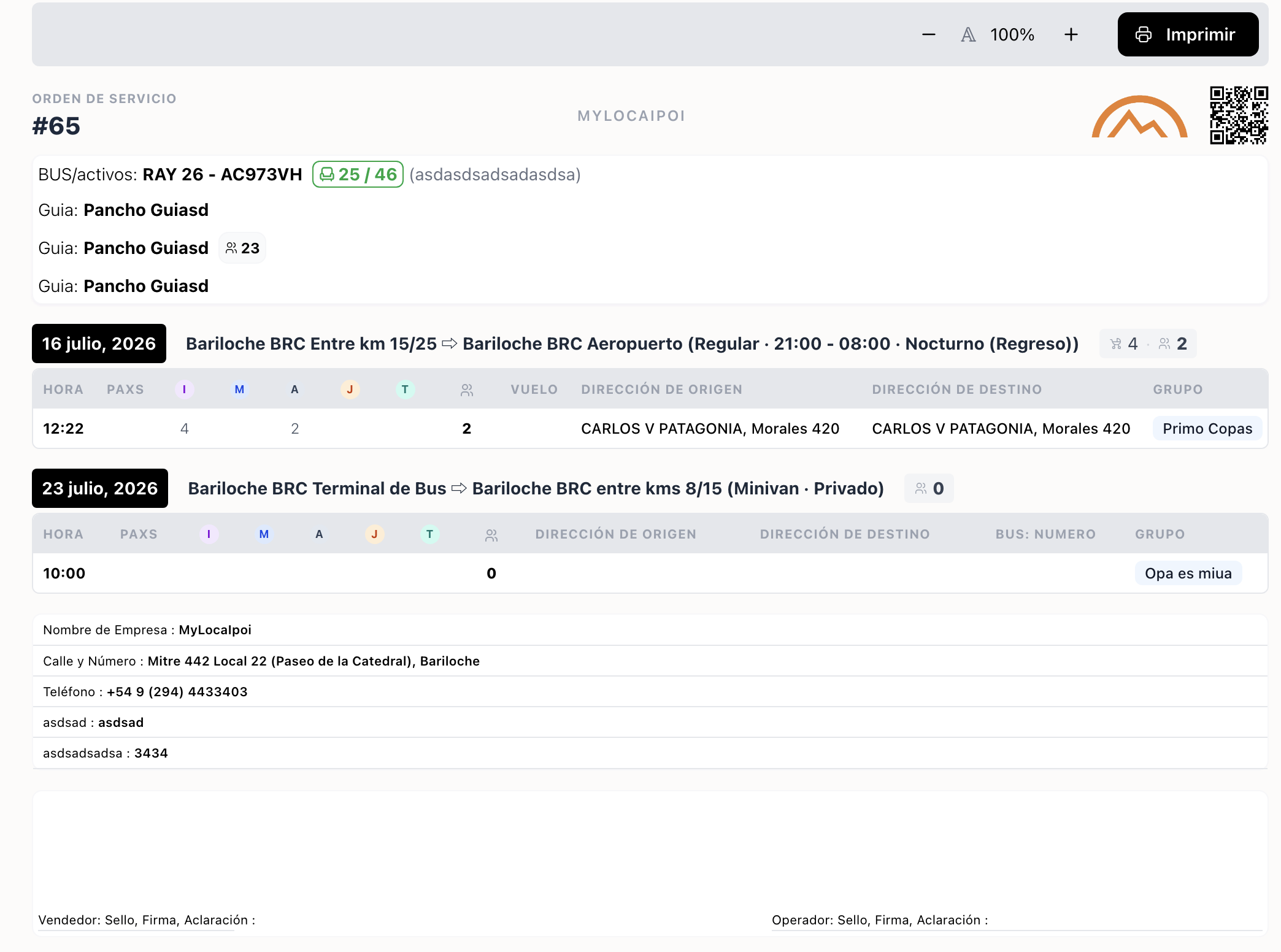
3. Manifest sheet of the order

3. Manifest sheet of the order